
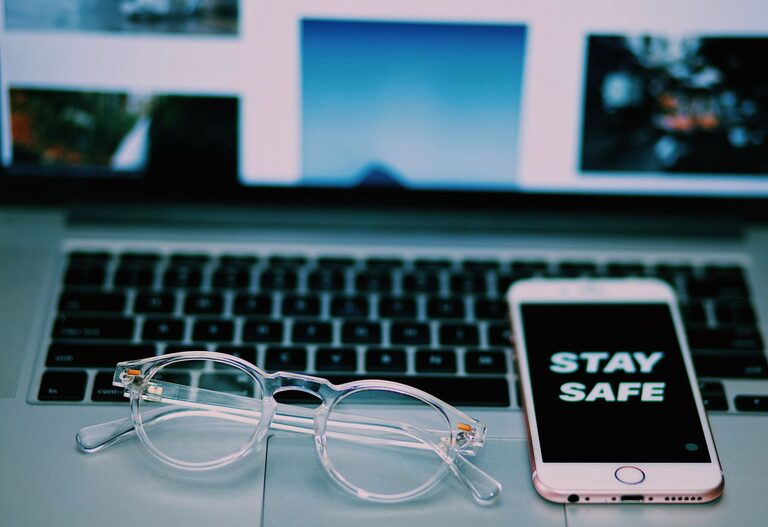
Keeping your phone and keyboard clean is essential not only for hygiene but also for the longevity and performance of your devices. Everyday use exposes these gadgets to dust, dirt, oils, and germs, which can accumulate over time. However, because of their delicate components, cleaning these electronics requires a careful approach. In this guide, we’ll walk you through safe and effective methods to clean your phone and keyboard without causing damage.
Why Clean Your Phone and Keyboard?
Phones and keyboards are among the most frequently touched surfaces in our daily lives. Studies have shown that these devices can harbor more bacteria than many other household items. Regular cleaning helps:
– Reduce germs and bacteria
– Improve device functionality by preventing buildup
– Maintain the appearance of your electronics
– Prevent sticky or unresponsive keys or buttons
Now, let’s explore how to clean these devices safely.
General Safety Tips Before Cleaning
Before you start:
– Power off your device. Always turn off your phone or unplug your keyboard before cleaning.
– Unplug accessories. Remove any cables or peripherals connected to your devices.
– Use gentle cleaning materials. Avoid harsh chemicals or abrasive tools that can damage screens and keys.
– Avoid excess moisture. Liquids can damage internal components if they seep inside.
How to Clean Your Phone Safely
Phones are made with sensitive touchscreens and internal components that require careful handling.
Materials You Will Need:
– Microfiber cloth (lint-free)
– Distilled water
– Isopropyl alcohol (70% concentration recommended)
– Cotton swabs
– Small soft brush (optional)
Step-by-Step Cleaning Process:
- **Switch off your phone** and unplug it from any chargers or accessories.
- **Prepare a cleaning solution:** Mix equal parts distilled water and isopropyl alcohol in a small bowl or spray bottle. This mixture is safe and effective for disinfecting.
- **Dampen the cloth:** Lightly moisten a microfiber cloth with the solution. The cloth should be damp, not wet.
- **Wipe the phone gently:** Use the damp cloth to wipe all surfaces of your phone, including the screen, back, and sides. Avoid getting moisture into ports or openings.
- **Clean around buttons and crevices:** Use a cotton swab dampened with the cleaning solution to carefully clean around buttons, speakers, and connectors.
- **Dry the phone:** Use a dry microfiber cloth to gently remove any remaining moisture.
- **Allow to air dry:** Give your phone a few minutes to fully dry before turning it back on.
Additional Tips:
– Consider using screen protectors or phone cases that are easier to clean.
– Avoid using bleach, window cleaners, or abrasive pads on your phone.
– If your phone is waterproof, still avoid submerging it in liquids for cleaning.
How to Clean Your Keyboard Safely
Keyboards come in different types—mechanical, membrane, wireless, or wired—all of which benefit from regular cleaning to maintain usability.
Materials You Will Need:
– Microfiber cloth
– Isopropyl alcohol (70%)
– Compressed air canister
– Cotton swabs or soft brushes
– Small vacuum cleaner (optional)
Step-by-Step Cleaning Process:
- **Turn off and unplug the keyboard.** Detach any cables or wireless receivers.
- **Shake out loose debris:** Turn the keyboard upside down and gently shake it to remove crumbs or dust.
- **Use compressed air:** Blow compressed air between the keys to dislodge dust and particles. Hold the can upright to avoid spraying liquid.
- **Wipe surfaces:** Lightly dampen a microfiber cloth with isopropyl alcohol and wipe the keys and surface areas. Avoid excess liquid.
- **Clean around keys:** Dip a cotton swab or small brush in the cleaning solution and carefully clean spaces between keys.
- **Optional deep clean:** For mechanical keyboards, you can remove keycaps (if the manufacturer allows) to clean underneath with a brush or compressed air.
- **Dry completely:** Let the keyboard air dry before reconnecting or using it.
Additional Tips:
– Avoid eating over your keyboard to reduce buildup.
– Clean your keyboard regularly, ideally once a week or biweekly.
– For wireless keyboards, remove batteries before cleaning to prevent damage.
Frequently Asked Questions
Can I use disinfecting wipes on my phone and keyboard?
Some disinfecting wipes are safe, especially those with 70% isopropyl alcohol. However, check the manufacturer’s recommendations and avoid wipes with bleach or harsh chemicals.
How often should I clean my devices?
A weekly cleaning routine is ideal for keyboards. For phones, wiping them down daily or every few days helps reduce germs.
What about cleaning earbuds or headphones?
Use a dry microfiber cloth for the exterior and a cotton swab to clean small crevices. Avoid getting moisture inside speakers.
Final Thoughts
Keeping your phone and keyboard clean is a simple practice that can promote better hygiene and device longevity. By following these safe cleaning tips, you can remove dirt and germs without risking damage. Remember to handle your devices gently and avoid excessive moisture. Regular maintenance ensures your tech stays looking good and working well for years to come!